Google Ads reporting your clients understand.
Link the Google Ads campaigns behind each client, and SEO App builds the performance report, the client-portal page and the scheduled email. SEO and paid, finally in one place.
One login for the whole picture.
Clients do not think in channels. SEO App puts rankings, organic traffic and paid performance side by side in the same portal and the same reporting schedule.



 HUUD
HUUD “SEO App gives us the flexibility as an agency to provide full transparency to our clients. It saves us time and money.”
Marc Brookland · CEO, SEO Locale
“SEO App saves my agency time with the ease of reporting. I can provide everything to my clients, increasing our retention.”
Kris · CEO, HUUD
See it on a real account.
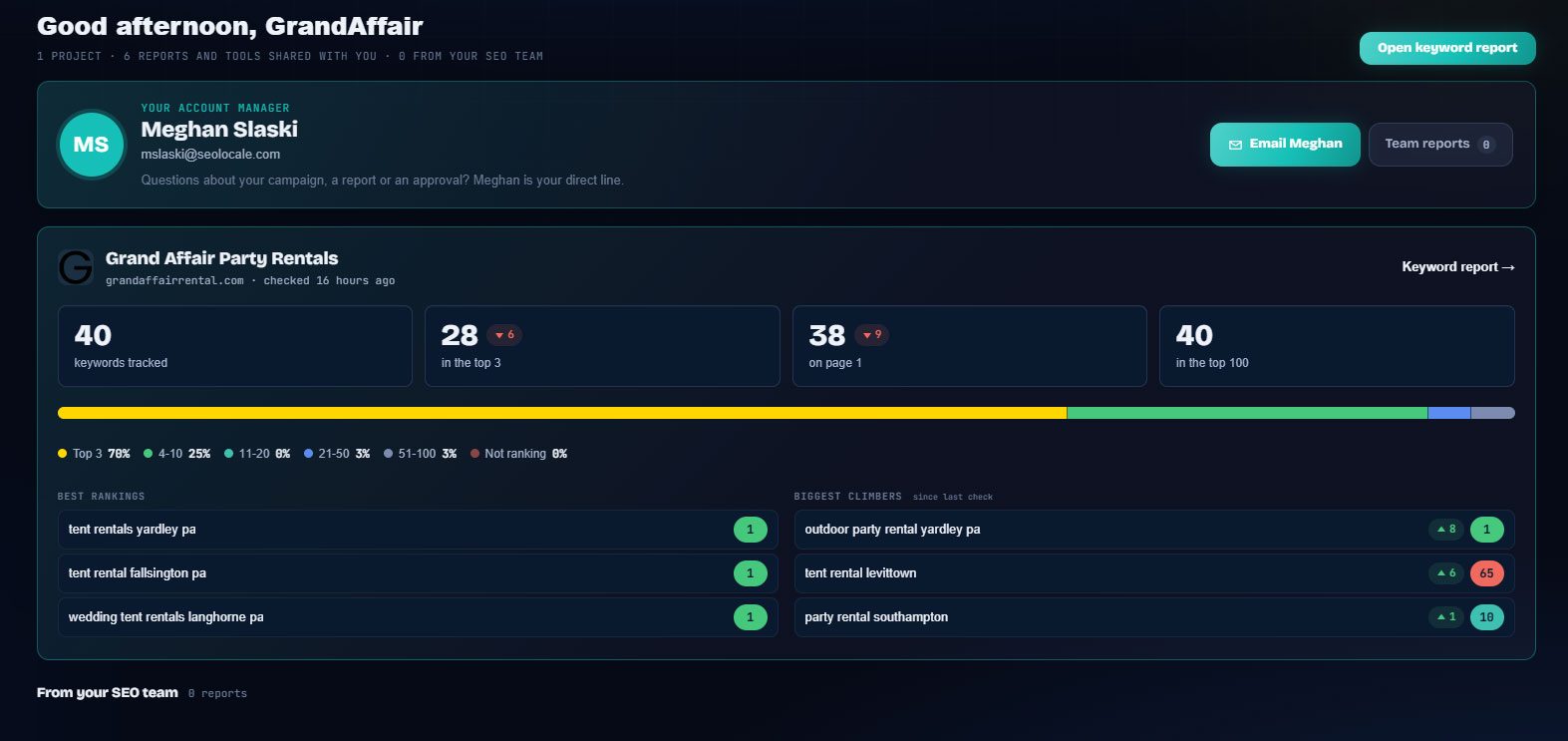
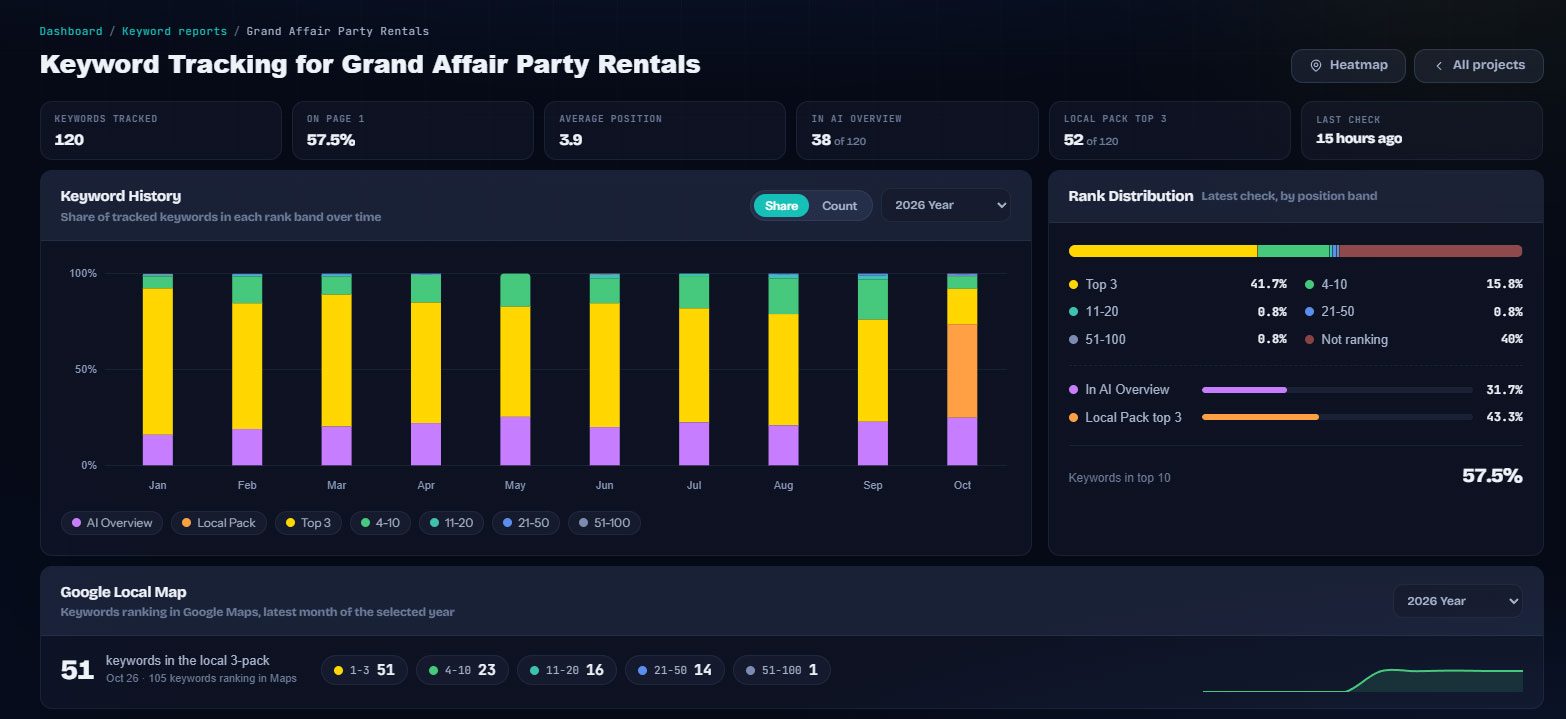
Everything in one place.
Combine any campaigns
Report on one campaign, a group, or every campaign across several Google Ads accounts combined.
Compare periods properly
Previous period, previous period matched by day of week, same period last year, or a custom range.
Conversions by type
Calls, forms, purchases and every other conversion action, with primary and secondary counts, value and share.
Budget pacing
Spend to date against the daily budget, projected month end and an on, under or over pace flag per campaign.
Brand vs non-brand
Keywords and search terms tagged automatically, with one-click moves and rules you control.
Scheduled client emails
Weekly or monthly paid ads summaries sent to the client with a link into their portal.
Built for the people doing the work.
Agencies running SEO and PPC
One client login for rankings and paid performance, with the paid report explained in the same language.
PPC managers
Period comparisons, budget pacing and conversion types without building a dashboard page per client.
Business owners
A paid ads tile on the dashboard that says what was spent, what came in and whether it is on pace.
Everywhere it counts.
The usual way, and the SEO App way.
| Task | The usual way | With SEO App |
|---|---|---|
| Client PPC reporting | A dashboard page per client and a monthly screenshot | A paid ads report in the client portal, emailed on schedule |
| Comparisons | Manual date math | Previous period, same weekday, year on year or custom |
| Brand vs non-brand | Spreadsheet rules | Brand term rules with manual overrides per keyword |
| Lead value | Nobody knows | A value per conversion type and estimated return on ad spend |
Three steps.
Link the campaigns
Connect Google Ads and link each client's campaigns to their SEO App project.
Set the values
Tell SEO App what a call or a form lead is worth and the report shows estimated revenue and ROAS.
Share and schedule
The client sees the report in their portal and receives it by email on the schedule you choose.
Why it matters.
Paid and organic in one portal
Clients do not think in channels. The portal dashboard shows a paid ads tile next to the ranking tiles, and the paid ads page breaks down campaigns, ad groups, conversions by type, devices and locations for the period they choose.
Comparisons that answer the question
Choose previous period, same weekday previous period, year on year or a custom range. Every metric shows the change, with cost metrics colored so that spending less reads as good.
Budget pacing and lead values
Monthly budgets are read from the account and pacing shows whether the month will land under or over. Assign a value to each conversion type, such as a form lead or a call, and the report estimates value and return on ad spend per campaign.