See how you rank where your customers are.
Rankings change from one town to the next. Track the exact locations you serve, see the local pack separately from organic results, and watch the map light up as you climb.
One keyword, fourteen towns, fourteen answers.
A plumber ranking first in one suburb can be invisible two towns over. SEO App checks each location you choose, so the numbers you report are the numbers your customers actually see.



 HUUD
HUUD “SEO App gives us the flexibility as an agency to provide full transparency to our clients. It saves us time and money.”
Marc Brookland · CEO, SEO Locale
“SEO App saves my agency time with the ease of reporting. I can provide everything to my clients, increasing our retention.”
Kris · CEO, HUUD
See it on a real account.
Everything in one place.
Track by city, ZIP or neighbourhood
Add a keyword once with every location you serve. Each location gets its own daily check and its own history.
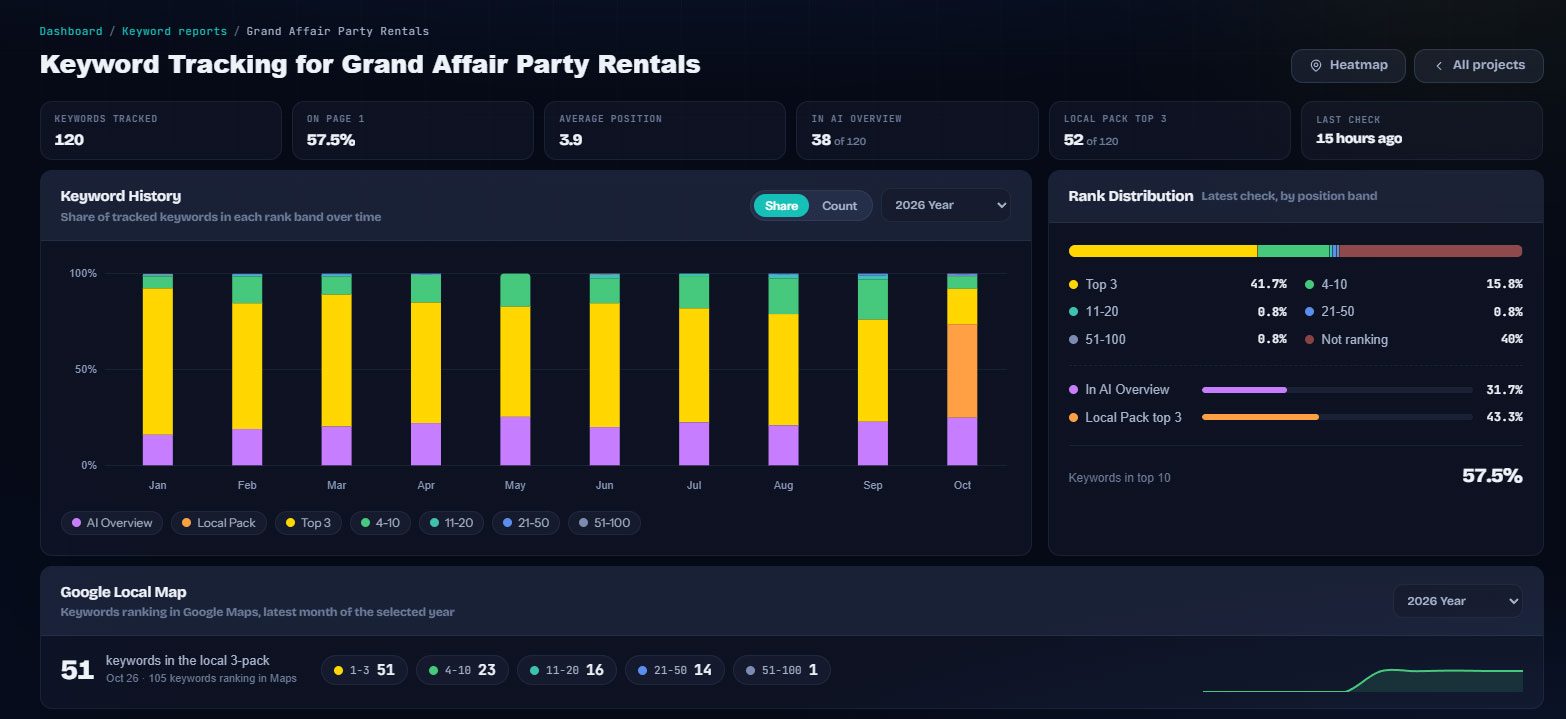
Local pack and organic, separately
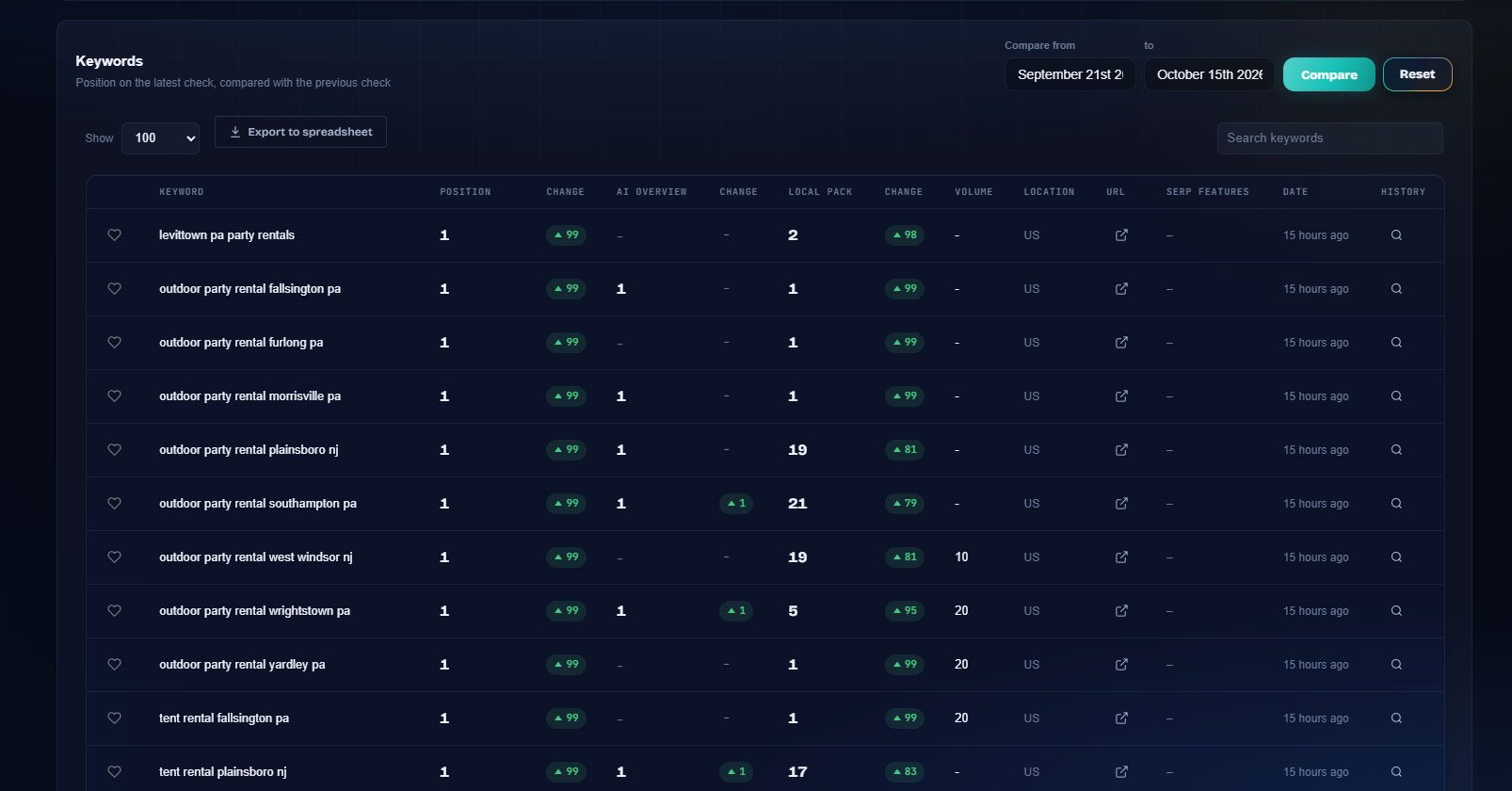
See your Google Business Profile position in the map pack next to your organic position, and the change in each.
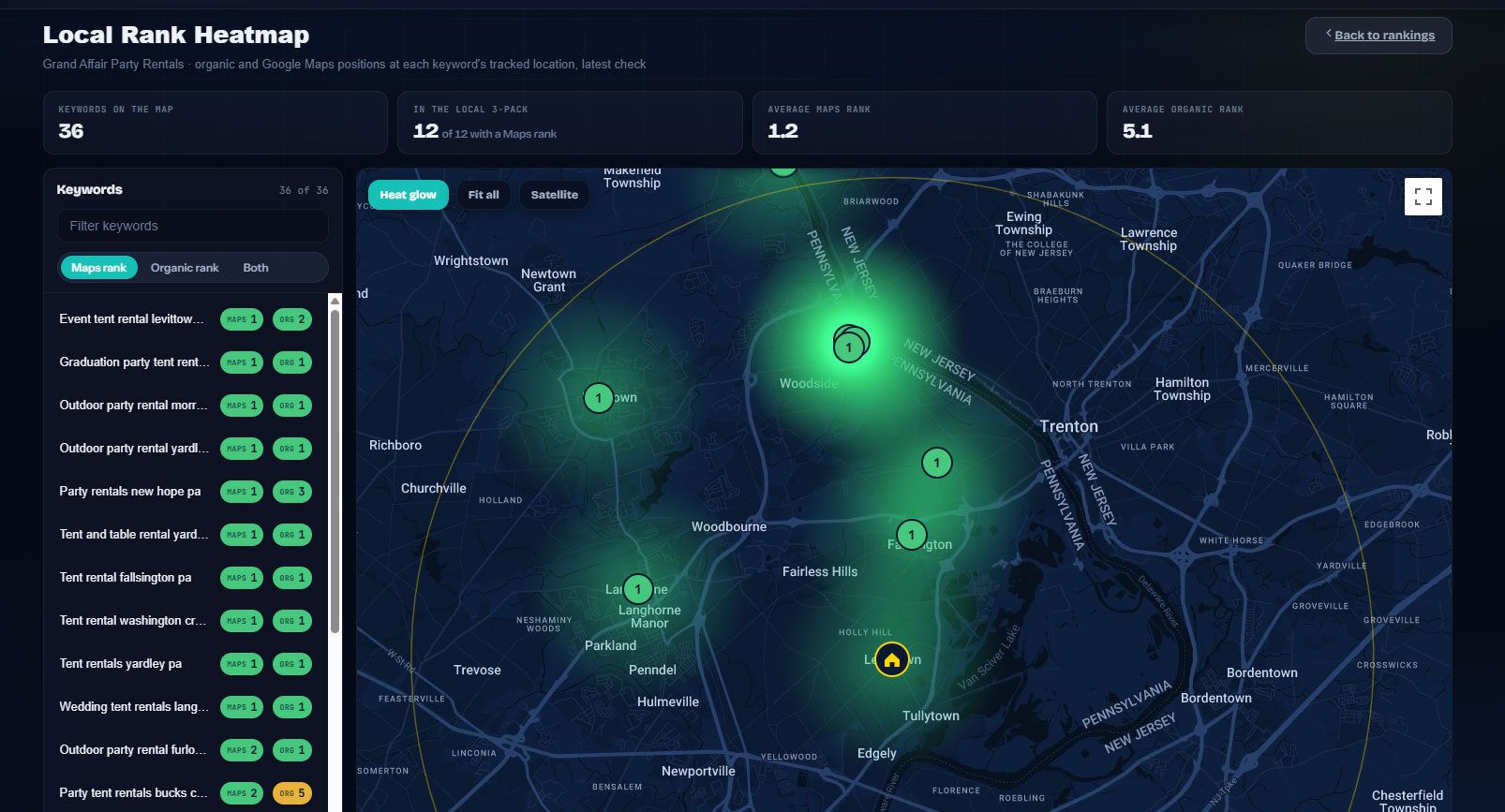
Position heat map
A map of your service area colored by position shows at a glance where you own the market and where you are missing.
Mobile first
Local searches happen on phones. Track mobile and desktop separately and report the one that matters for the query.
History per location
Every location keeps its own ranking history, so you can show a client exactly when a new town started to rank.
Client-ready reports
Local rankings flow into the same branded portal and progress emails as the rest of your SEO reporting.
Built for the people doing the work.
Home service businesses
Plumbers, roofers, HVAC and landscapers who serve a radius of towns and need to rank in each one.
Multi-location brands
Dentists, gyms, restaurants and retailers with one listing per location and one keyword set per market.
Local SEO agencies
Report local pack and organic positions per town, with a heat map that makes the progress obvious.
Everywhere it counts.
The usual way, and the SEO App way.
| Task | The usual way | With SEO App |
|---|---|---|
| Checking local rank | Drive to the town, search on your phone, screenshot | Each location checked daily as if you were standing there |
| Map pack vs organic | One number that hides which one moved | Maps rank and organic rank side by side, each with its change |
| Service area coverage | A spreadsheet of towns and guesses | A heat map colored by position with your office pinned |
| Client reporting | Explaining why rankings differ by town | The portal shows each town and the trend behind it |
Three steps.
Choose your locations
Pick the cities, ZIP codes or neighbourhoods you want to rank in. Add as many as your service area needs.
Add your keywords
Each keyword is tracked in every location you chose, on desktop and mobile.
Watch the map
The heat map and the per-location history show where you are winning and where to focus next.
Why it matters.
Why "near me" rankings are different
Google localises results by where the searcher stands, so a keyword like "tent rental" has a different winner in every town. Tracking from one location, or from no location, reports a position nobody actually sees. SEO App runs every keyword from the exact city or ZIP you choose.
Maps and organic are two campaigns
The local pack is driven by your Google Business Profile: categories, reviews, photos and proximity. Organic results are driven by your pages and links. SEO App records both positions for every keyword and location, so you know which one to work on when a number slips.
Read the map, not the spreadsheet
The local rank heat map plots each keyword's tracked location on a real map, colored by position, with a switch for Maps rank, organic rank or both. Hot green around the office and cold edges further out tell a client in one glance where the next landing page or review push should go.