Own the SERP, not just the ranking.
Position 1 means less when an AI Overview, a map pack and three videos sit above it. SEO App records every feature on the page and who it belongs to.
Features decide the clicks.
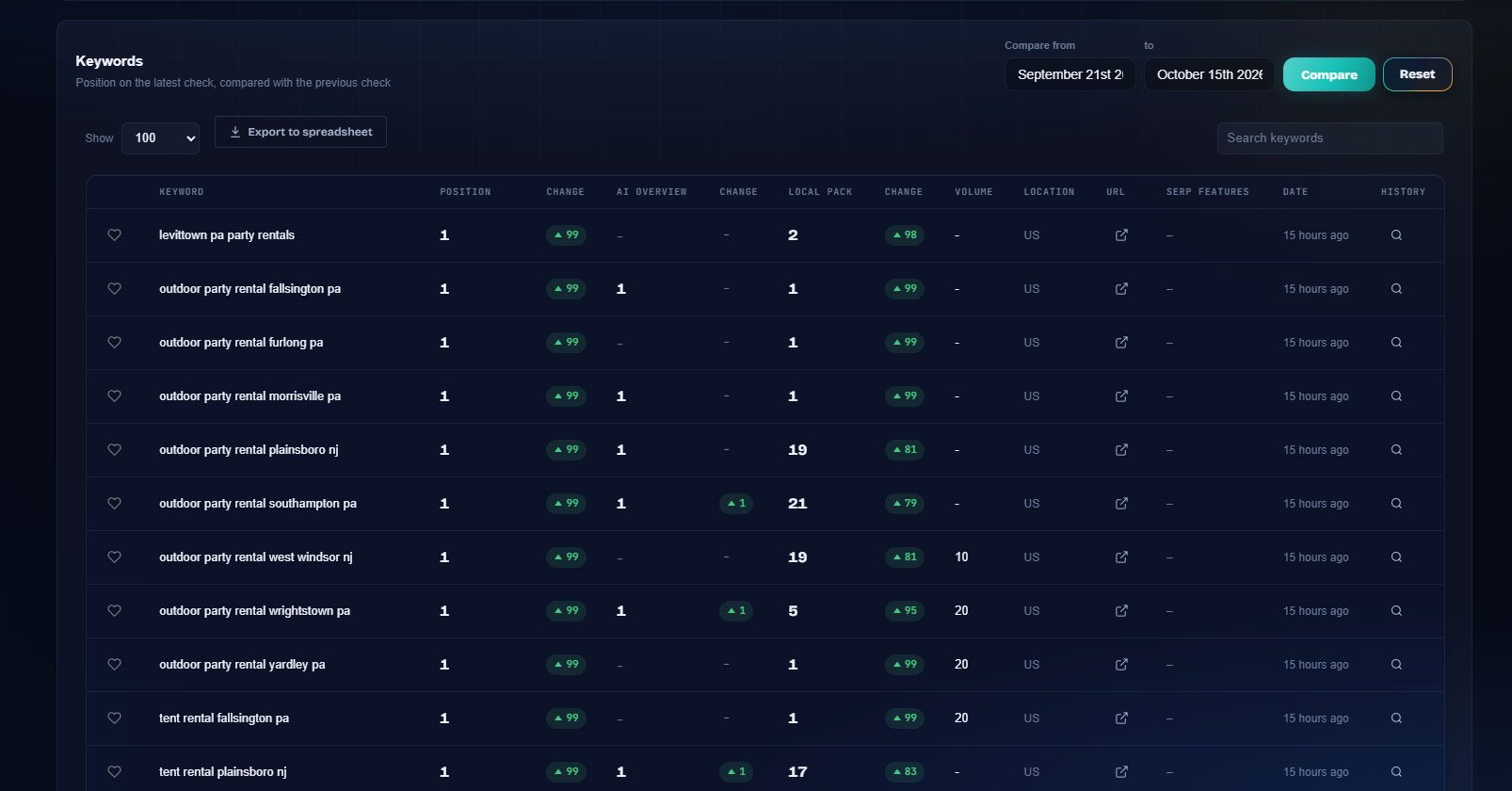
Every daily check captures the features on the results page, not just your blue-link position. You see which keywords show an AI Overview, who appears inside it, who holds the snippet and the local pack, and how that changes over time.



 HUUD
HUUD “SEO App gives us the flexibility as an agency to provide full transparency to our clients. It saves us time and money.”
Marc Brookland · CEO, SEO Locale
“SEO App saves my agency time with the ease of reporting. I can provide everything to my clients, increasing our retention.”
Kris · CEO, HUUD
See it on a real account.
Everything in one place.
AI Overview ownership
Know which keywords trigger an AI Overview and whether your site, or a competitor, is cited inside it.
Featured snippets
Track who holds the snippet for each keyword and get alerted when you win or lose it.
Local pack
See the map pack separately from organic, with the businesses that appear and your position among them.
People Also Ask
Keywords with PAA boxes are flagged, so your content team can write the answers.
Images, videos, shopping
Every other feature is recorded too, so you understand why a keyword with a great position sends little traffic.
Ownership report
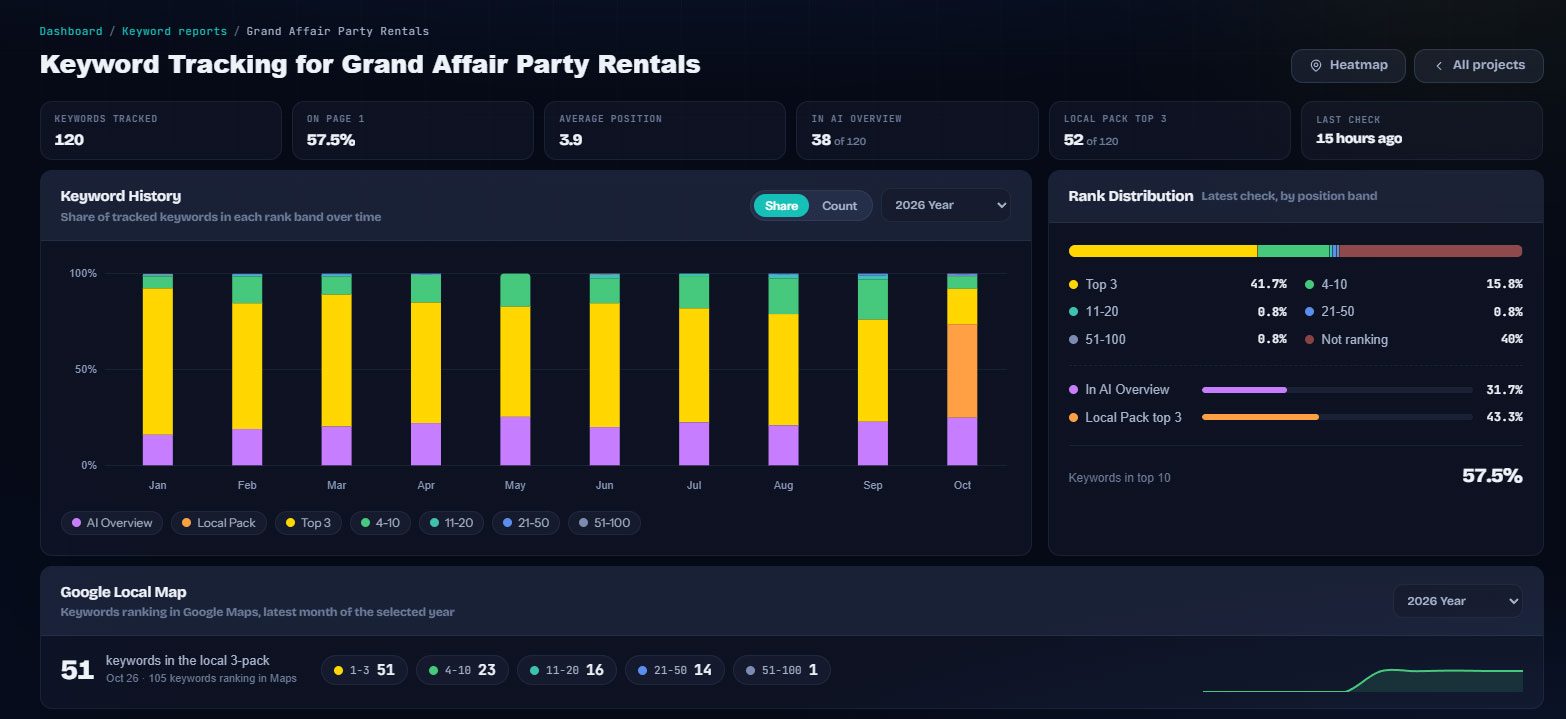
A per-project view of how many features you own against each competitor, with the trend.
Built for the people doing the work.
Agencies
Explain to a client why position 1 produced fewer clicks, and show which feature took them.
Content strategists
Find the keywords where a People Also Ask box or featured snippet is up for grabs.
Local businesses
Watch the local pack, the Maps result and the AI Overview that sit above your organic rank.
Everywhere it counts.
The usual way, and the SEO App way.
| Task | The usual way | With SEO App |
|---|---|---|
| What is above you | Guesswork | The feature list on every check: local pack, PAA, video, snippet, AI Overview |
| AI Overview impact | Invisible | An AI Overview column with in or out, new or lost |
| Owning a feature | Nobody notices | Ownership is recorded, reported and in the API |
| Explaining click drops | "The algorithm" | Position held, but a new feature appeared on that date |
Three steps.
Track your keywords
SERP feature capture runs on every keyword you already track. Nothing extra to set up.
Read the ownership report
See which features show for your keywords and who owns each one, you or a named competitor.
Target the features
Write for the snippet, answer the PAA questions, and claim the AI Overview citation.
Why it matters.
A ranking is only part of the page
The modern result page stacks ads, an AI Overview, a map pack, videos, People Also Ask and shopping blocks above the first organic result. Two keywords at position 3 can have wildly different click-through rates depending on what sits above them. SEO App records the features present on each check so the ranking has context.
Features you can win
Some features are open to you: a featured snippet, a People Also Ask answer, a video carousel, the local pack. SEO App tracks whether your site owns a feature for a keyword, and the keyword table and the API expose that ownership so you can target the ones within reach.
Reading the history page
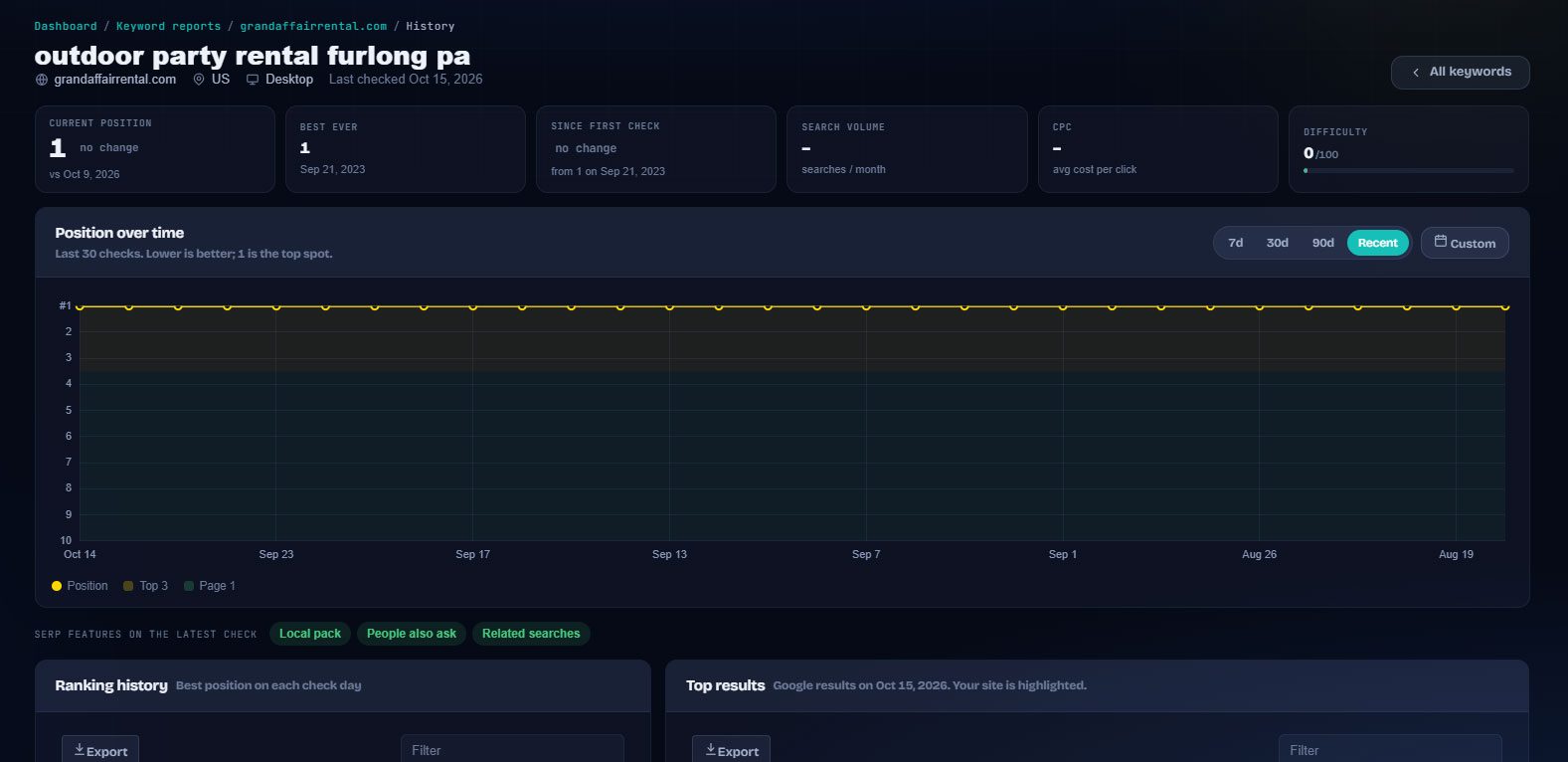
Each keyword's history page shows position over time with the Top 3 and Page 1 bands shaded, and lists the SERP features present on the latest check: local pack, People Also Ask, related searches and more. When a client asks why traffic changed on a date, the answer is usually there.