Client reporting that sends itself.
Rankings, analytics and paid ads in one branded portal, with weekly or monthly emails that explain what moved and why. Your team stops building reports and starts acting on them.
Less table, more story.
Every SEO App report opens with at-a-glance tiles and plain-English highlights: the top channel, the biggest riser and faller, the key events. The full tables are still there for the people who want them.



 HUUD
HUUD “SEO App gives us the flexibility as an agency to provide full transparency to our clients. It saves us time and money.”
Marc Brookland · CEO, SEO Locale
“SEO App saves my agency time with the ease of reporting. I can provide everything to my clients, increasing our retention.”
Kris · CEO, HUUD
See it on a real account.
Everything in one place.
White-label client portal
Your logo, colors and sign-in page. Clients see rankings, share of voice, analytics, paid ads and the reports your team shares.
GA4 reports
Daily, weekly or monthly Google Analytics reports with channel breakdowns and key events, emailed on schedule.
Ranking progress emails
Keyword progress reports with gains, drops, AI Overview and local pack positions, sent automatically.
Paid ads summaries
Weekly or monthly Google Ads performance with conversions by type, campaigns and top searches.
Test before you send
Generate any report on demand and email yourself a test from the reports page before the client ever sees it.
Approvals and team reports
Surface audits, work reports and pending approvals from your project management tool directly in the client portal.
Built for the people doing the work.
Agencies
Scheduled, branded reports for every client with no Friday afternoon export marathon.
Consultants
A portal and a monthly email make a one-person shop look like a department.
In-house teams
Report to leadership from the same portal and email an agency would use.
Everywhere it counts.
The usual way, and the SEO App way.
| Task | The usual way | With SEO App |
|---|---|---|
| Building the report | Export, paste, format, repeat | Assembled from the latest checks on a schedule |
| Branding | Your logo pasted into a template | Portal, sign-in and email carry your brand automatically |
| Client access | Credentials emailed again and again | Client signs in or requests a one-time code |
| Approvals | Buried in email threads | An alert on the client dashboard until it is approved |
Three steps.
Brand it once
Upload your logo and color in agency settings. Portals and emails pick it up automatically.
Set the schedule
Choose weekly or monthly per client and who receives each report.
Let it run
Reports generate from live data and go out on time, with a link into the portal for the detail.
Why it matters.
What the client actually sees
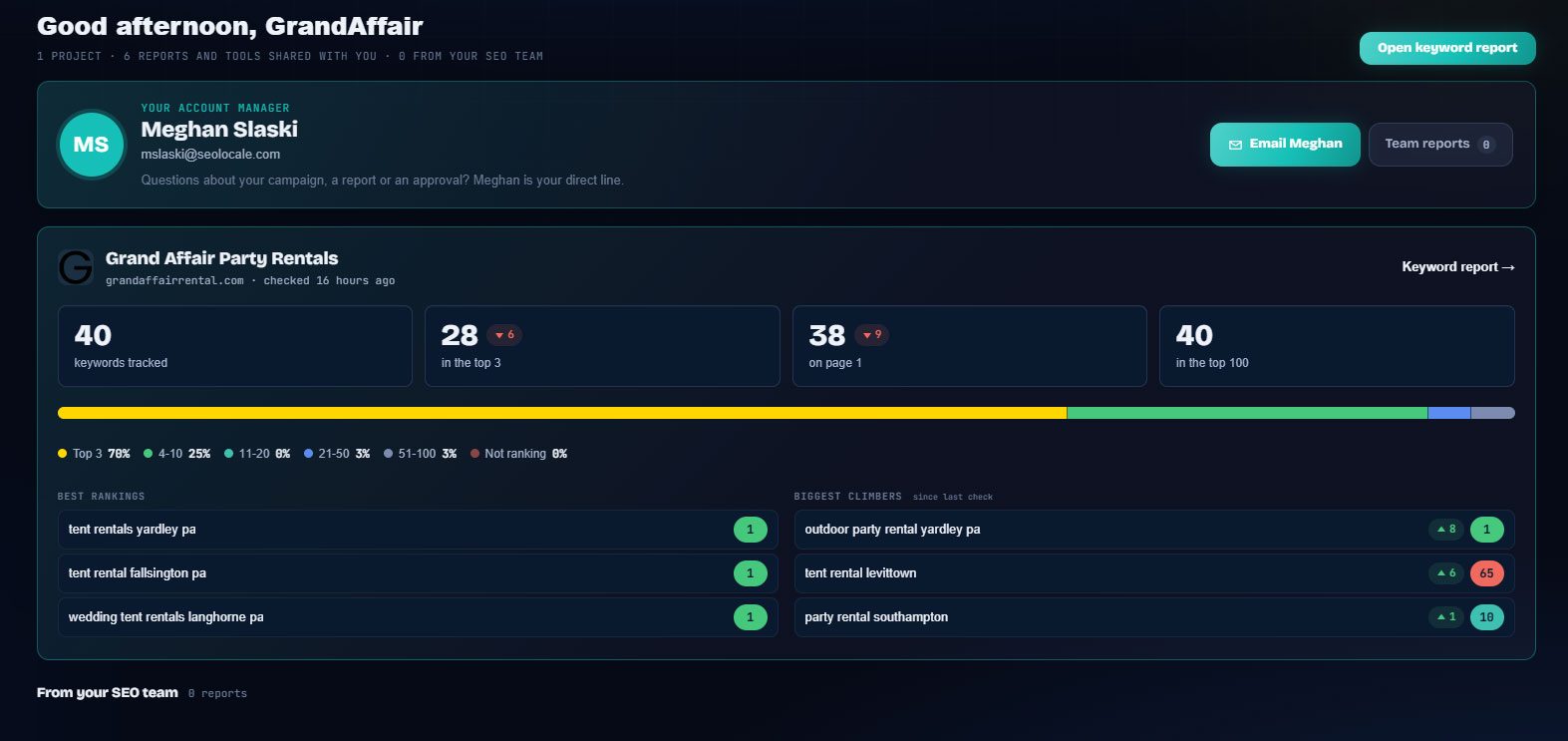
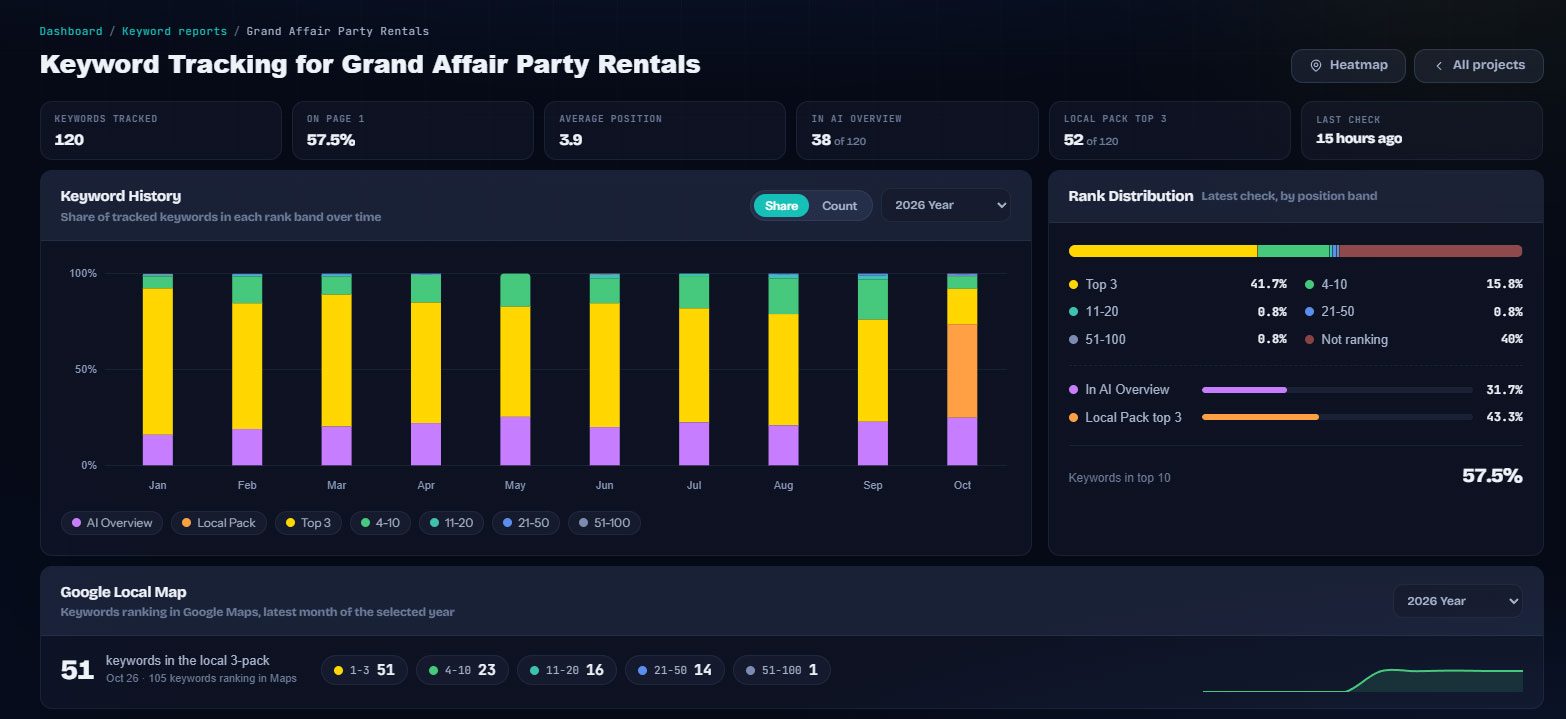
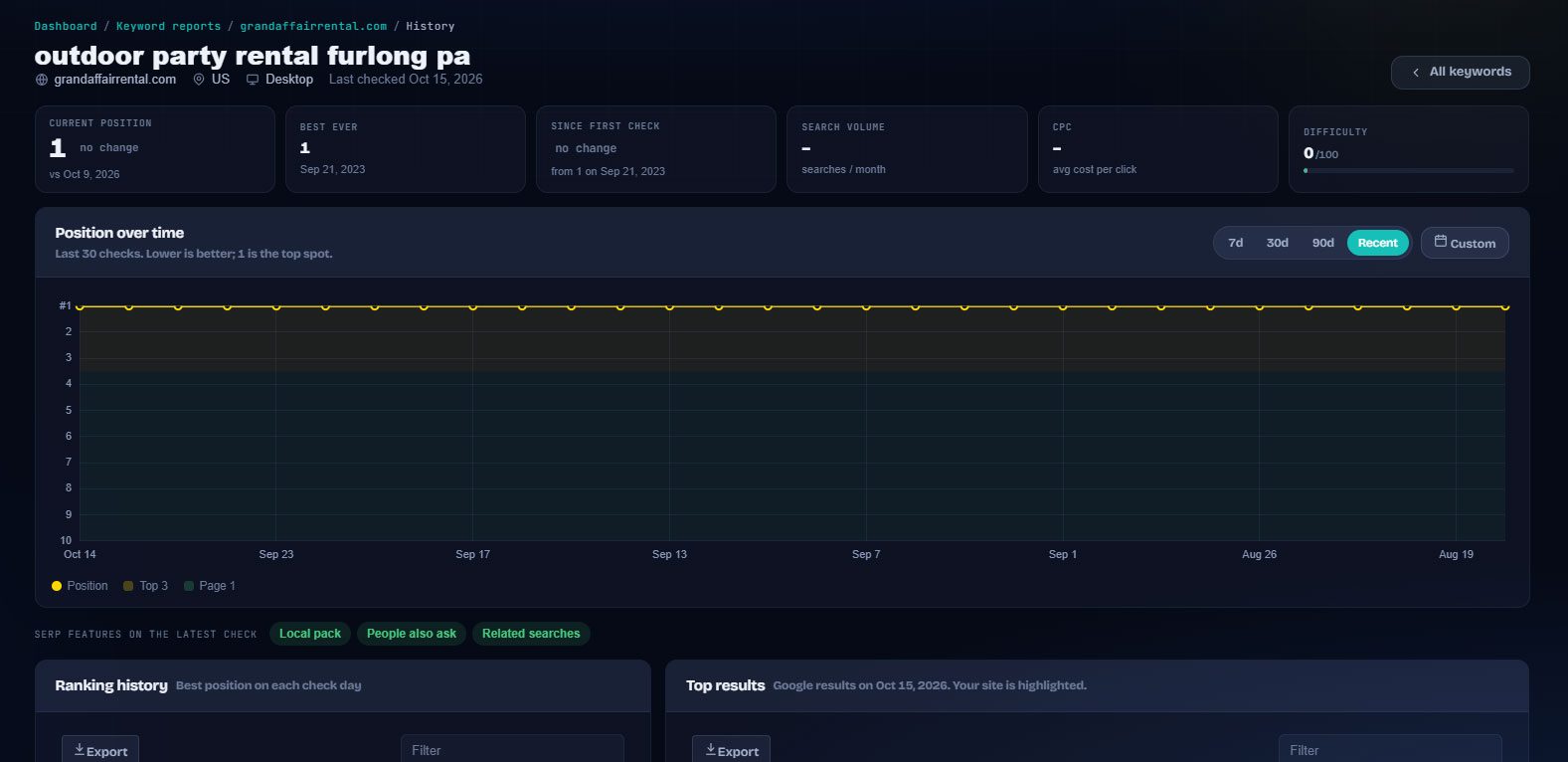
The client portal opens on a dashboard with their account manager front and center, the keyword tiles that matter (tracked, top 3, page 1, top 100), best rankings, biggest climbers and anything waiting for their approval. Deeper tabs cover the full keyword report, local maps, analytics, AI visibility and paid ads.
The progress email
The keyword ranking email goes out weekly or monthly with at-a-glance tiles, biggest gains, keywords needing attention and a color-coded table of every ranking keyword with Google, AI Overview and local pack positions. A separate monthly analytics email summarizes traffic, channels and top pages. Paid ads get their own schedule.
Test before you send
Every schedule has a "send a test to this address" field, so you see exactly what the client gets before the first real send. Generate a report on demand when a client asks for a mid-month update.